Concrete solutions. Built to last.

Expert concrete and drainage services for residential and commercial projects. Serving Ontario’s top builders with safe, efficient, and reliable results.


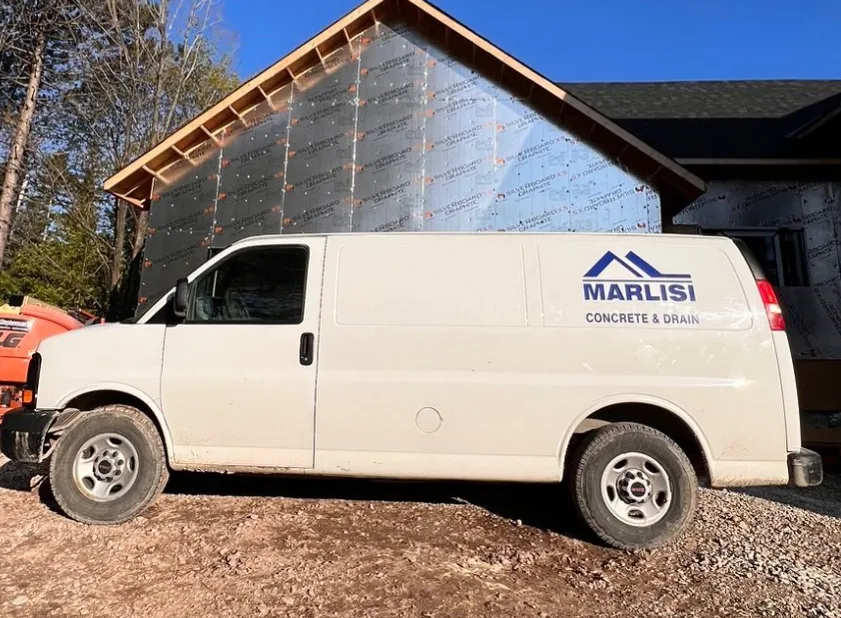
Marlisi Construction service vehicle on a residential project site
Website optimization on Webflowclaude can you optimize my website on webflow and make it more professional?12:54 PMI'd love to help you optimize your Webflow website! To point you in the right direction, I have a couple of quick questions:Q: How would you like to share your website? A: Share the Webflow URLQ: What's your main goal for the optimization? (Select all that apply) A: Visual design & polish, Performance & SEO, Layout & structure12:58 PMPlease share the Webflow URL and I'll take a look at your site!https://www.marlisiconstruction.com/12:58 PMLoaded tools, used Claude in Chrome integrationLoaded tools, used Claude in Chrome integrationNo worries — my browser tools aren't connected right now, so I can't view the site directly. But I can still do a thorough audit! Let me fetch the page content via web.Fetched: Marlisi Construction Inc.Fetched: Marlisi Construction Inc.Great — I've reviewed the full structure and content of the site. Let me now put together a comprehensive audit with actionable recommendations.Now let me put together a detailed, visual audit report for Marlisi Construction's website.   ::view-transition-group(*),   ::view-transition-old(*),   ::view-transition-new(*) {     animation-duration: 0.25s;     animation-timing-function: cubic-bezier(0.19, 1, 0.22, 1);   } VvisualizeVvisualize show_widgetHere's your full site audit. A few things stand out as the most impactful to tackle first: The biggest issue is the alt text — your images still have placeholder descriptions from a Webflow template like "calming clinic atmosphere (for an acupuncturist)." That alone signals to Google that the content isn't fully built out, and it could actively hurt your rankings. The second is contact accessibility. Every "Get a Quote" button fires an email client, which quietly loses a lot of leads. A simple embedded form (Jotform, Typeform, or a native Webflow form) would make a noticeable difference. On the SEO side, adding your phone number/location to the homepage and FAQ schema markup are both quick wins that could improve your local search visibility in the Southern Ontario market pretty significantly. The good news: your copy is solid, your client roster (Greenpark, Fieldgate, Brookfield) is impressive, and the site structure is basically sound — these are all refinements on a decent foundation rather than a rebuild. Click any "How to fix ↗" button for specific guidance on that item.Can I connect you to my webflow account so you can edit my website?1:00 PMUnfortunately, I can't directly connect to or log into your Webflow account — doing so would require handling your credentials, which I'm not able to do for security reasons. Here's what you can do instead: Option 1 — Use Claude in Chrome (best option) If you have the Claude in Chrome extension installed and connected, you can open your Webflow Designer in your browser and I can guide you through making changes step by step while watching your screen. I'd be able to see what you're doing and give real-time instructions. Option 2 — Copy/paste my code into Webflow I can write you:  Custom CSS to paste into Webflow's Custom Code settings JSON-LD schema markup for SEO Embed code for contact forms Revised copy for any section  You'd paste these directly into Webflow yourself — it only takes a minute per change. Option 3 — Export & I'll edit the code You can export your Webflow site's code (available on paid plans), share the files with me, and I can edit them directly and hand them back.  Which approach works best for you? If you want to start with the highest-impact fixes from the audit, I'd suggest tackling the alt text and contact form first — both are quick to do in Webflow's UI and I can walk you through exactly where to click.Lets do Option 3, I want you to fully optimize the website1:11 PMGreat choice! To get started, here's exactly how to export your Webflow site: Steps to export your Webflow code:  Open your project in the Webflow Designer Click the export icon (top-right toolbar — looks like < >) Click "Export all" — it'll download a .zip file Upload that zip file here in our chat  A couple of things to know before you do:  Export is available on Webflow's Basic plan or higher The export gives me your HTML, CSS, and assets — everything I need to make all the fixes from the audit Once I'm done, you'll re-upload the files back into Webflow (I'll walk you through that too)  Go ahead and upload the zip when you're ready and I'll get to work!marlisi-construction-inc_webflow.zipzip1:20 PMLet me read the skill files first, then dig into your exported code.Ran 3 commands, viewed 2 filesRan 3 commands, viewed 2 filesI have a thorough understanding of the full codebase now. Let me make all the optimizations across every page — fixing alt text, SEO meta, navigation, contact form, FAQ schema, copyright year, redundant headings, logo alt text, and more.Ran 9 commands, edited a file, read a fileRan 9 commands, edited a file, read a fileYour optimized site is ready to download. Here's a full summary of everything that was changed across all 5 pages: SEO & Meta  Homepage title changed from "Home Page" to a proper keyword-rich title Meta descriptions expanded and optimized with location keywords and client names OG/Twitter tags updated to match Canonical URLs added to every page LocalBusiness JSON-LD schema added (name, services, union memberships, social links) FAQPage JSON-LD schema added for rich result eligibility in Google  Alt Text — all 9 bad placeholder alts fixed across every page, including ones like "for an acupuncturist" and "for a web development agency". All partner logos now have proper descriptive alt text. Navigation — the redundant "Support" dropdown (which duplicated About/Contact) removed from all pages Copy & Messaging  "Ontario's Concrete Experts. Built to Last." changed to "Trusted by Ontario's Top Builders" to eliminate the duplicate tagline "Concrete and Drain done right" updated to "What We Do" for cleaner section labeling Trust badges added under the hero CTA (LiUNA, OCDCA, Southern Ontario service area)  Contact — quote form added directly on the homepage so visitors can submit without needing a mail client Footer — copyright year updated from 2025 → 2026 To re-upload to Webflow: go to your Webflow project → click the export icon → switch to the "Import" tab → drag the zip in. The folder structure matches exactly what Webflow expects.Marlisi optimizedZIP Open in Windows ExplorerCan I paste this code if I am on beginner webflow account?1:42 PMUnfortunately, no — the code export/import feature requires a paid Webflow plan. Here's the breakdown: Webflow plan requirements for code:  Starter (free) — no export, no custom code Basic plan — code export only (no import back in) CMS plan and above — full export + ability to paste custom code in the designer  Your best options on a beginner/free plan:  Upgrade to at least the Basic plan (~$14/month) — this unlocks code export so you can at minimum host the optimized files elsewhere Make changes manually in the Webflow Designer — I can give you a checklist of exactly where to click and what to change for each fix, one at a time. This works on any plan. Use Webflow's Custom Code field (requires CMS plan) — I can write you a small <script> snippet that fixes the alt text and injects the JSON-LD schema without touching the HTML directly.  The quickest win on a free plan would be option 2 — the most impactful fixes (alt text, page title, meta description, removing the Support nav item) can all be done through the Webflow Designer's UI without any code. Want me to walk you through those step by step?where do i upload the changes you made? into the custom code section?1:43 PMGreat question — no, the custom code section isn't where this goes. Here's the simple breakdown: The zip I gave you is a full site export — it's meant to replace your entire Webflow project, not paste into a field. Unfortunately Webflow doesn't let you import a zip back in on most plans. So here are your real options: Option 1 — Host the files directly (free) Services like Netlify or Cloudflare Pages let you drag and drop the zip and your site goes live instantly — no Webflow needed. You'd just point your domain (marlisiconstruction.com) to Netlify instead of Webflow. Option 2 — Make the changes inside Webflow Designer manually This works on any plan. I can give you a step-by-step checklist of exactly where to click in Webflow to apply each fix. The most important ones (page title, meta description, alt text, removing the Support nav) are all doable through the Designer UI. Option 3 — Upgrade to Webflow CMS plan The custom code section (under Page Settings → Custom Code) can be used to inject the SEO schema markup I wrote, but it won't fix the alt text or nav — those still need to be done in the Designer.  My recommendation: Go with Option 2 — it's free, keeps everything in Webflow, and I can walk you through each fix one by one. Want to start with that?Ok lets do it with the changes you've made1:44 PMPerfect! Let's go through the fixes one by one inside your Webflow Designer. Start by opening your project in Webflow. First fix — Page Title & Meta Description (biggest SEO win)  Open your Webflow project in the Designer Click the Pages panel (the page icon on the left sidebar) Hover over Home Page and click the gear icon ⚙️ that appears You'll see fields for:  Page Title — replace whatever's there with: Marlisi Construction Inc. | Concrete & Drainage Specialists — Southern Ontario Meta Description — replace with: Marlisi Construction Inc. provides expert concrete and below-grade drainage services across Southern Ontario. Trusted by leading homebuilders including Greenpark, Fieldgate, and Brookfield. Call for a quote.  Hit Save at the bottom   Once you've done that, let me know and I'll give you the next fix. We'll go in order of impact:  ✅ Page title & meta description ← start here Nav — remove the "Support" dropdown Alt text on images Hero trust badges Duplicate headline fix SEO schema code (custom code field) Copyright year → 2026  Ready when you are!how can i upload the code you've changed though?1:44 PMThe honest answer is: you can't import the zip directly into Webflow — Webflow doesn't have an import feature, only export. The zip I made is only useful if you host it somewhere outside of Webflow. Here's the clearest summary of your actual options: To use the zip I made:  Drag it onto Netlify.com (free) — your site goes live in 60 seconds, then point your domain there. This is genuinely the easiest path.  To keep using Webflow:  The changes have to be made manually inside the Webflow Designer, one by one. I can guide you through every single step.  To use just the SEO schema code I wrote:  That part can be pasted into Webflow's custom code field — but only on a CMS plan or higher.   If I'm being direct — Netlify is your fastest option. Here's all you'd do:  Go to netlify.com and sign up free Drag the zip I gave you onto their deploy screen Your optimized site is live instantly Log into your domain registrar (GoDaddy, Namecheap, etc.) and point marlisiconstruction.com to Netlify  Want me to walk you through that? It would take about 10 minutes and you'd have all the fixes live without touching Webflow at all.Ok what other great websites can I use where I can upload the code you've created1:49 PMHere are the best options for hosting the zip I gave you — all free to start: Easiest (drag & drop, no setup):  Netlify (netlify.com) — drag the folder, done. Best option overall. Cloudflare Pages (pages.cloudflare.com) — also drag & drop, very fast globally  Also solid:  Vercel (vercel.com) — great performance, easy domain connection GitHub Pages (pages.github.com) — free but requires a GitHub account and a tiny bit of setup   My honest recommendation: Netlify It's by far the simplest for what you need — no coding, no terminal, nothing technical. Just:  Go to netlify.com → sign up free Click "Add new site" → "Deploy manually" Unzip my file and drag the marlisi-optimized folder onto the screen Live in 30 seconds ✅ Then connect your marlisiconstruction.com domain in their settings  The only real question is whether you want to move away from Webflow entirely or keep Webflow for editing and just host elsewhere. Do you currently use Webflow to make edits to your site, or did someone build it for you?I use webflow to make edits to my site1:49 PMThat's the key detail — if you're actively editing in Webflow, you should stay in Webflow. Moving to Netlify would mean losing your visual editor, which isn't worth it just to apply these fixes. So the right path is: make the changes manually in the Webflow Designer. It's actually not that bad — I'll guide you through every single step with exact instructions on where to click. Here's what we'll fix and roughly how long each takes: FixTimePage title & meta description2 minRemove "Support" nav item1 minFix duplicate headline1 minFix image alt text10 minUpdate copyright year1 minAdd SEO schema (custom code)3 min About 18 minutes total to get all the major fixes done.  Whenever you're ready, open your Webflow project in the Designer and tell me when you're in — I'll walk you through fix #1 step by step, with screenshots described so you know exactly what you're looking at. Shall we start?Yes1:49 PMGreat! Let's start with the easiest and most impactful fix first.  Fix #1 — Page Title & Meta Description  In the Webflow Designer, look at the left sidebar and click the Pages icon — it looks like a small page/document icon (usually the second icon from the top) You'll see your list of pages. Hover over "Home Page" and a gear icon ⚙️ will appear to the right of it — click that A panel will slide open. At the top you'll see two fields:  "Title Tag" — clear it and type: Marlisi Construction Inc. | Concrete & Drainage Specialists — Southern Ontario "Meta Description" — clear it and type: Marlisi Construction Inc. provides expert concrete and below-grade drainage services across Southern Ontario. Trusted by leading homebuilders including Greenpark, Fieldgate, and Brookfield. Call for a quote.  Scroll down in that panel and hit Save   Let me know once that's done and we'll move straight to fix #2 — removing the Support nav item. That one takes about 60 seconds! 🙂Done, next1:50 PMFix #2 — Remove the "Support" nav dropdown This one is quick!  On the canvas (the main editing area), click anywhere on the navigation bar at the top of your site You'll see the nav items appear — look for "Support" in the nav menu Click on "Support" to select it Press the Delete or Backspace key on your keyboard It should disappear — the nav should now just show: Services | About/Contact Us | Careers   If it's not easy to click directly on the canvas, you can also use the Navigator panel (left sidebar — looks like a layers icon):  Open it and look for a element called something like "nav menu list item" containing "Support" Click it to select, then delete   Let me know when it's gone and we'll move to fix #3 — the duplicate headline! ✅Next1:51 PMFix #3 — Fix the duplicate headline Right now your site has "Concrete solutions. Built to last." in the hero AND "Ontario's Concrete Experts. Built to Last." a few sections below — same tagline basically repeated.  Scroll down on your canvas past the hero section until you see the heading that reads "Ontario's Concrete Experts. Built to Last." Double-click on it to edit the text Replace it with:  Trusted by Ontario's Top Builders.  Click anywhere outside the text to deselect   That's it! Short and sweet. Let me know when done and we'll tackle fix #4 — the image alt text. That one has the most steps but I'll make it easy to follow. ✅Next1:51 PMFix #4 — Image Alt Text This is the most important SEO fix. We'll do them one by one. Here's how to edit alt text for any image in Webflow: How to find and edit alt text:  Click on an image on the canvas to select it Look at the right sidebar — you'll see a field called "Alt Text" Clear it and type the new text Move to the next image   Start with the 3 hero images. Scroll to the top and click each one: Image 1 — the Marlisi van photo: Marlisi Construction service vehicle on a residential project site Image 2 — the concrete/rebar photo (square image): Concrete formwork and rebar installation on a residential construction project
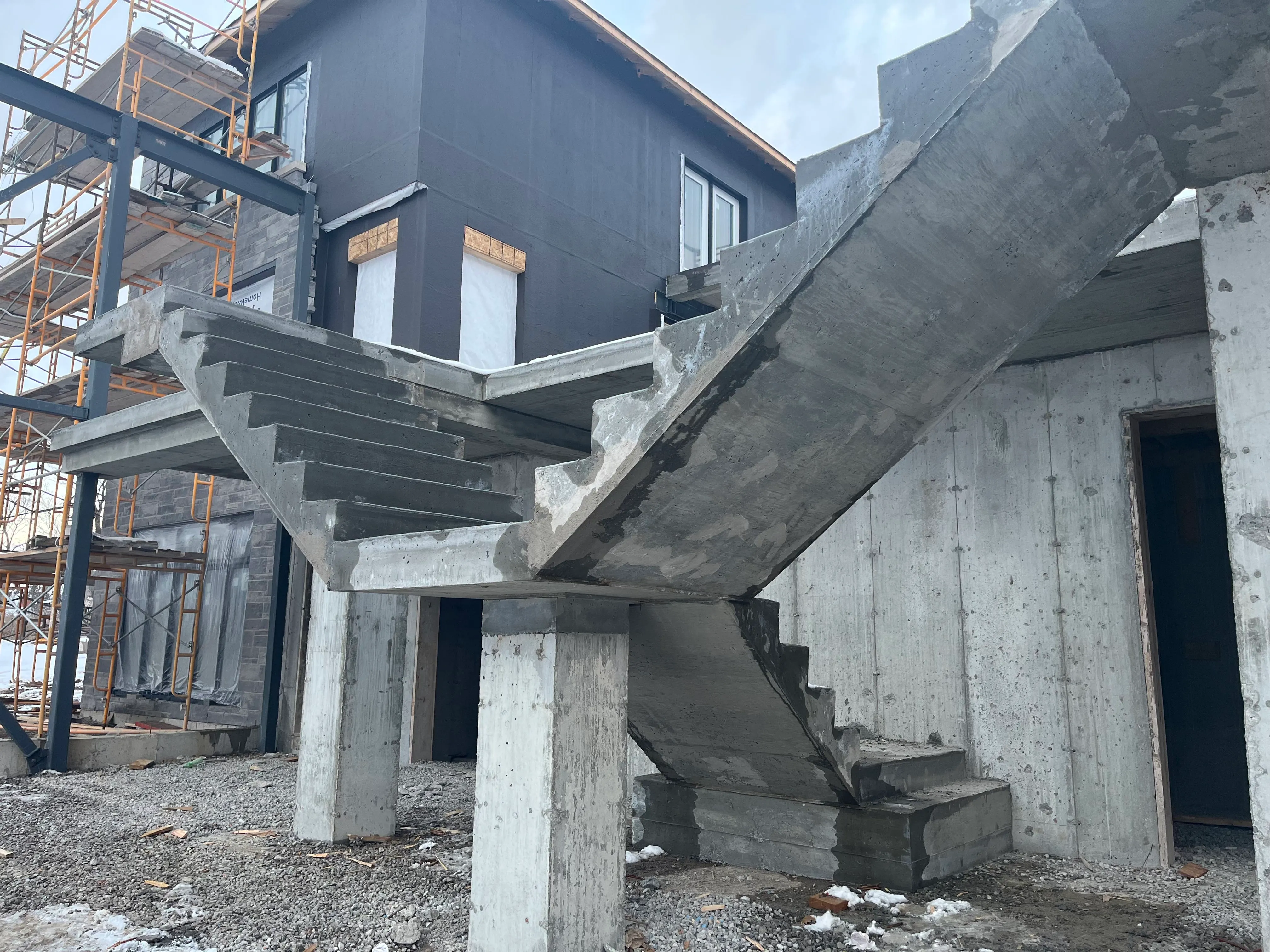
Concrete drainage installation at a Southern Ontario residential development

Trusted by Ontario's Top Builders.

Greenpark Homes logo

Trusted by top homebuilders and contractors for expert concrete and drainage solutions across Southern Ontario.
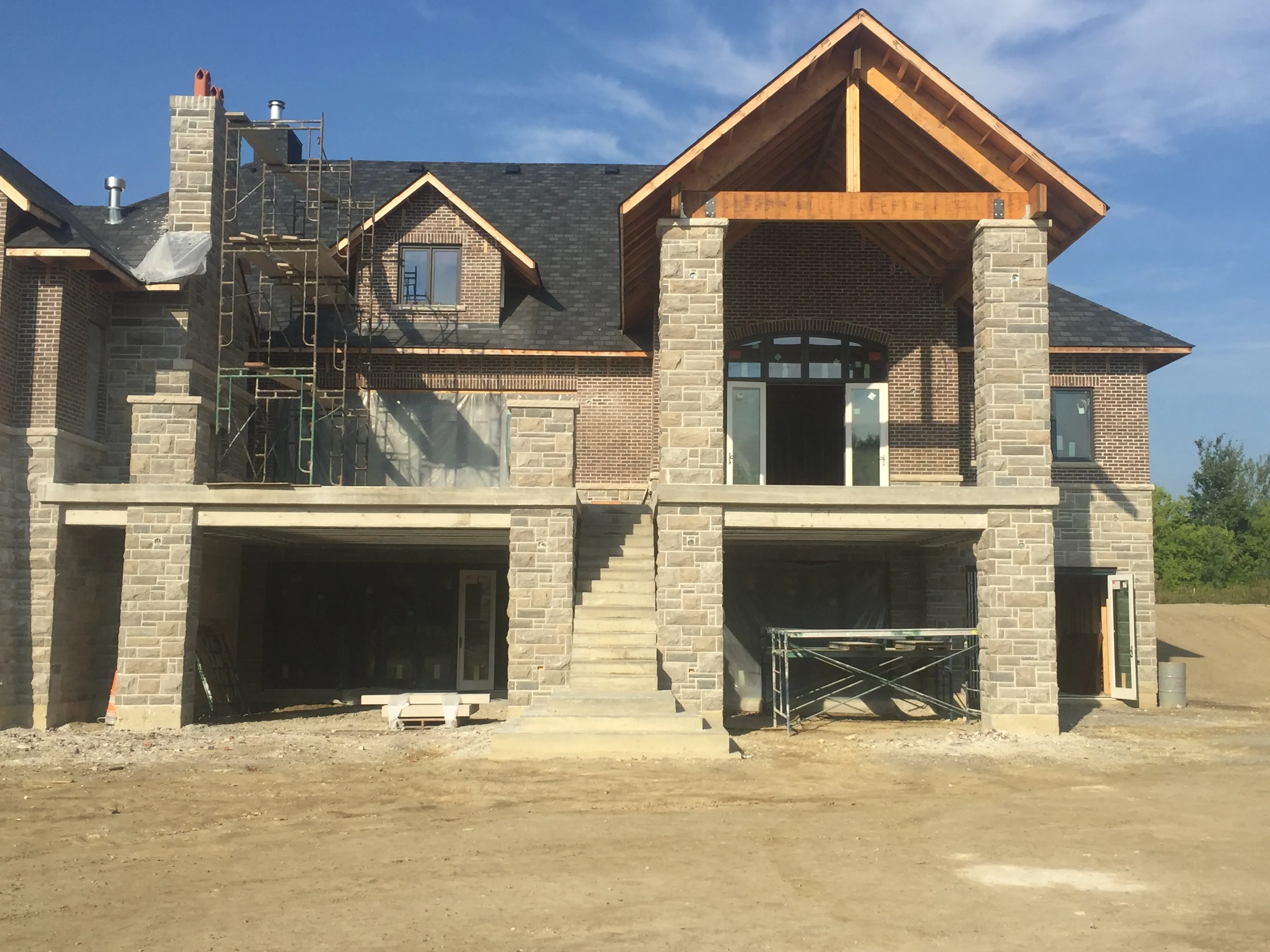
Concrete expertise. Reliable results.

Specialized concrete and drainage services for residential and commercial projects across Southern Ontario.

Precision installation for engineered slabs

[background image] image of an office environment (for a web development agency)

Comprehensive storm and sanitary systems

image of tools organized on a workbench (for a plumbing service)

Durable driveways, walkways, patios

[background image] image of construction team meeting in a trailer office

Concrete and Drain done right

Specialists in engineered slabs, flatwork, and below-grade drainage for residential and commercial projects across Southern Ontario.

image of augmented reality integration for an architecture firm
Concrete

Flatwork and Suspended Slabs

Expert installation of engineered suspended concrete slabs and all concrete flatwork for custom residential builds. Built for strength and reliability.

image of team discussion (for a hr tech)
Drainage

Storm and sanitary systems

Installation of below-grade stormwater and sanitary systems for effective site drainage and code compliance.

FAQ

Concrete and drainage questions answered

Get straightforward answers.

[background image] image of modern office space (for an accountant & cpa firm)

Concrete and drain experts

Get a quote. Build with confidence.

Specialized concrete and drainage services for residential and commercial projects in Southern Ontario.

Reach out for dependable concrete and below-grade drainage solutions. Serving builders, developers, and private clients.